EventMail

A newsletter plugin for WordPress

Newsletters from your own WordPress. No limits, no monthly bill.

EventMail gathers your subscribers, sends your newsletters in the background and keeps a record of every email. Your list stays in your own database and the mail goes out through your own mail service.

  • Free and open source (GPL)
  • WordPress 5.8 or newer
  • PHP 7.4 or newer
EVENTMAIL ★ NEWSLETTER PLUGIN ★ WORDPRESS ★ NO SUBSCRIBER FREE LIMITS
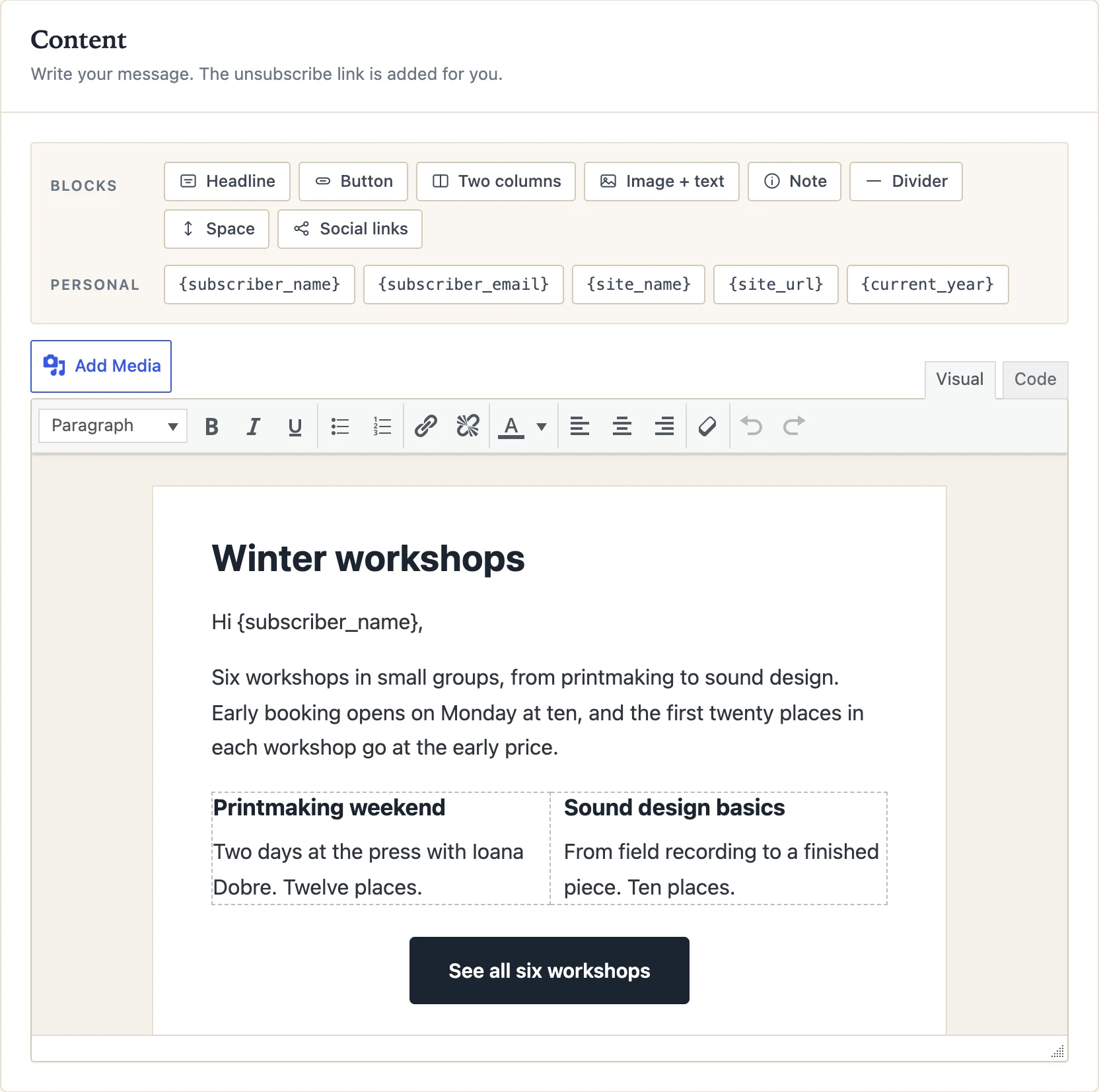
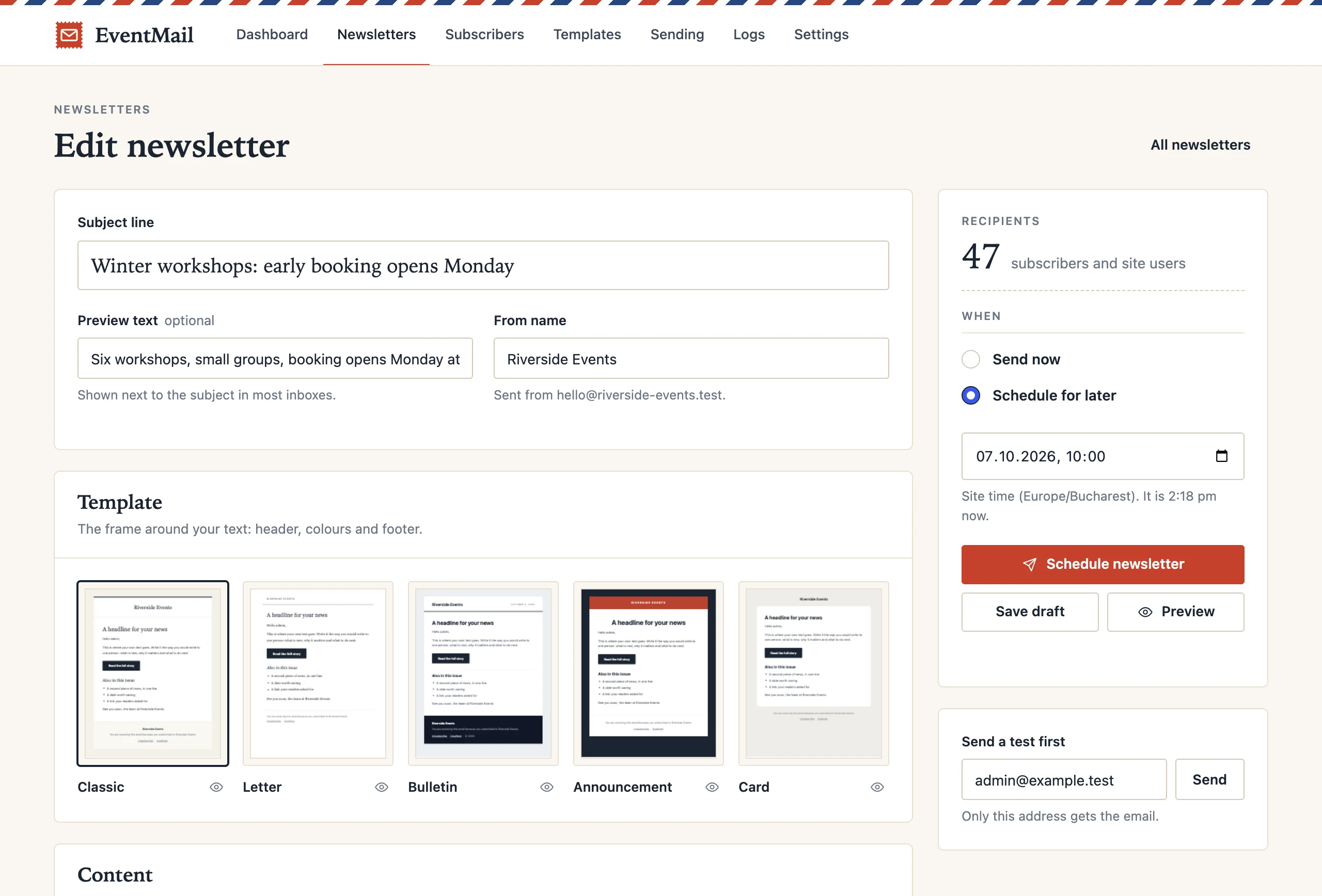
The EventMail composer in the WordPress admin: subject line, a choice of five templates, and the send and schedule controls.
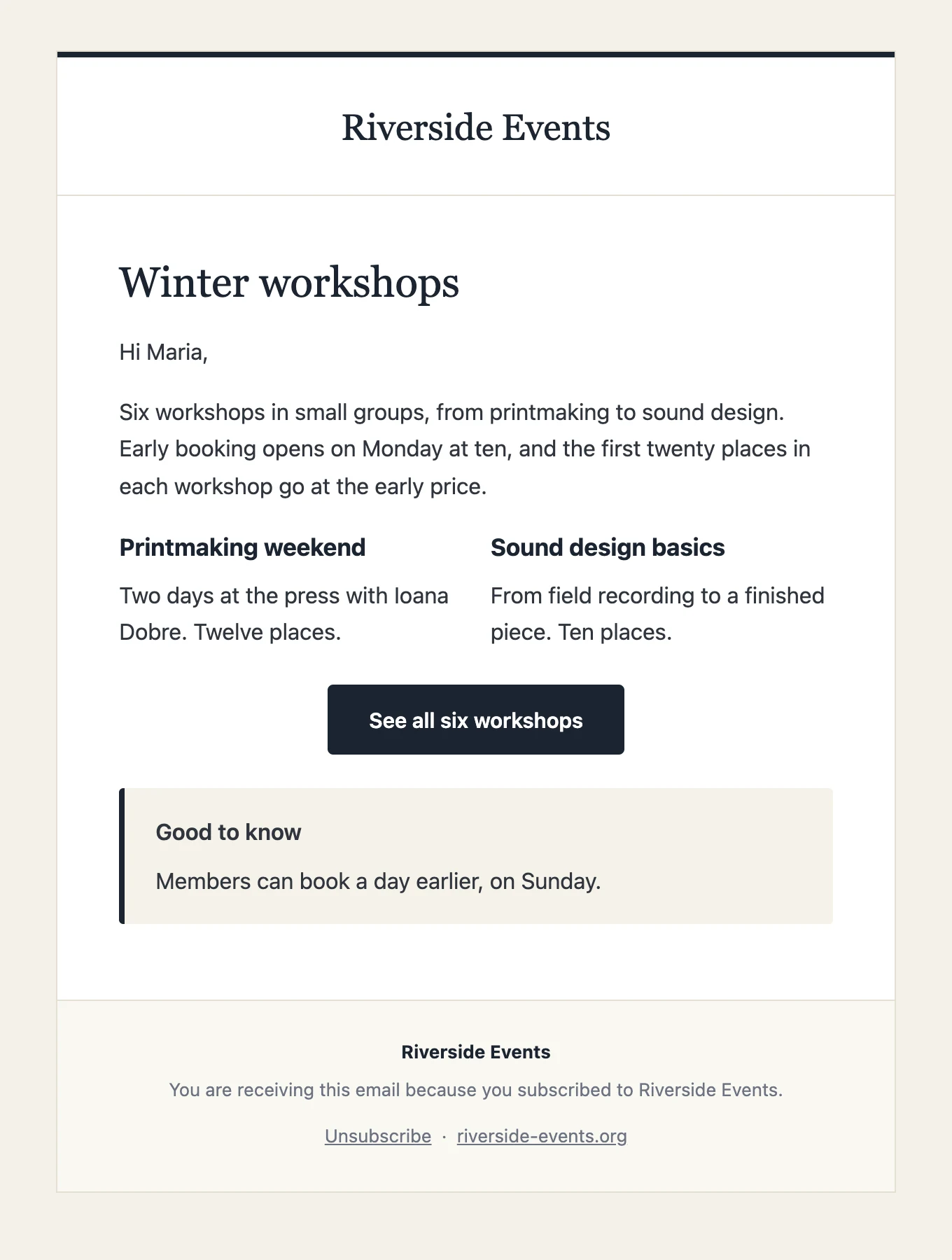
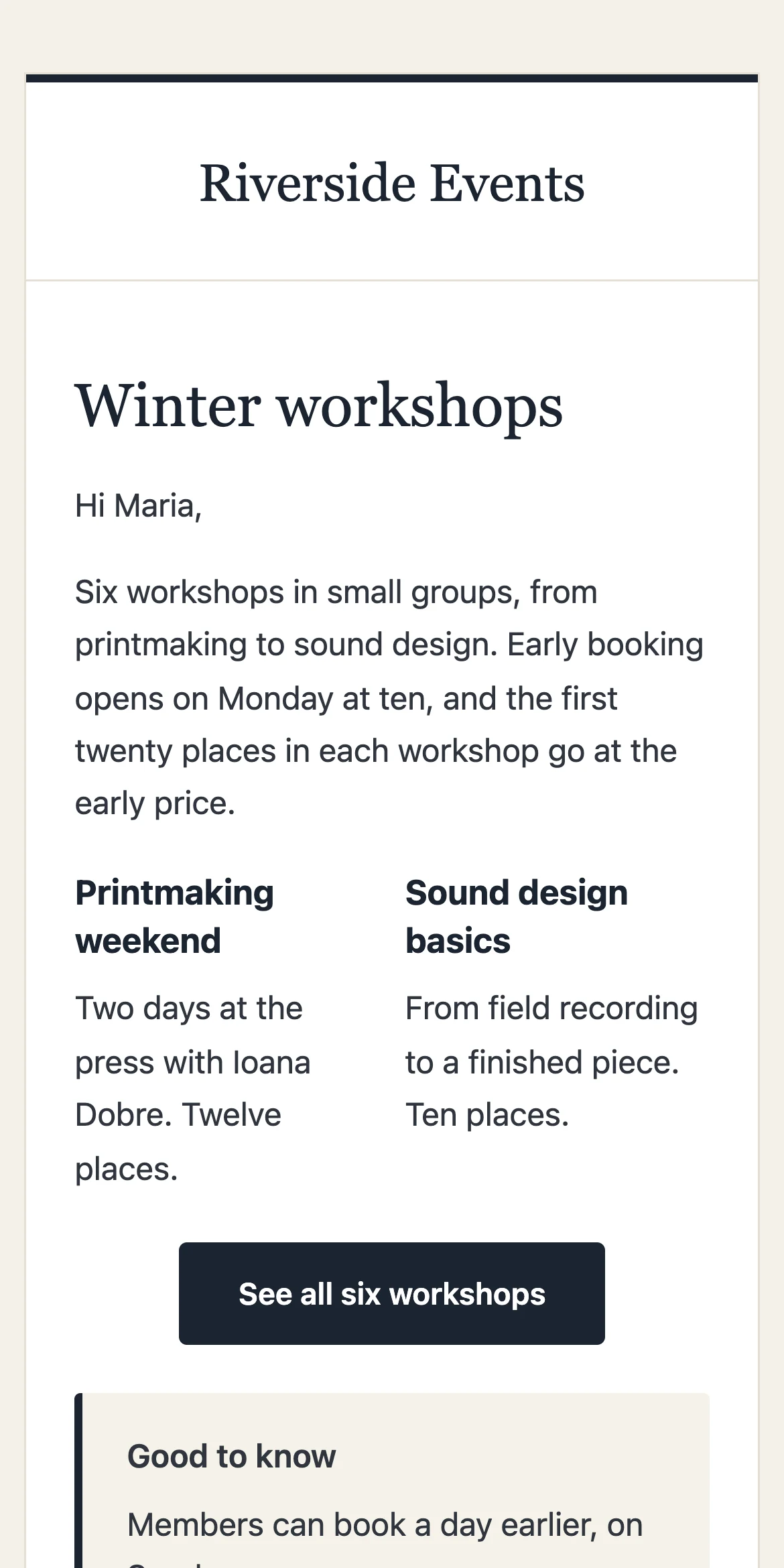
The same newsletter as it arrives on a phone.

0

limits on subscribers or on how often you send

5

email templates, built for email clients

1 click

to unsubscribe, in every email

0

requests to outside servers, and no tracking

No. 1  Write

Write it like a letter.

Pick a template, type your message and drop in ready-made blocks: a headline, a button, two columns, a note. Put the reader’s name where it belongs. Check how it looks on a phone and send yourself a test before anyone else sees it.

  • Blocks made for email, not for web pages
  • Name and address filled in for each reader
  • Preview for desktop and phone
  • Test email to yourself, one click
The editor with the block bar: headline, button, two columns, image and text, note, divider.
The finished newsletter in the Classic template.

The editor, and the same newsletter as it arrives.
No. 2  Send

Sent in the background, a batch at a time.

A list of five thousand does not go out in one request. EventMail queues every recipient and sends in small batches with a pause in between, so shared hosting keeps up and your mail service does not push back. Close the tab and it carries on. If the server restarts, it picks up where it stopped, and nobody gets the same email twice.

  • Send now, or pick a date and time
  • Batch size and pause are yours to set
  • Live progress, with stop and resume
  • Works with any SMTP plugin or mail service
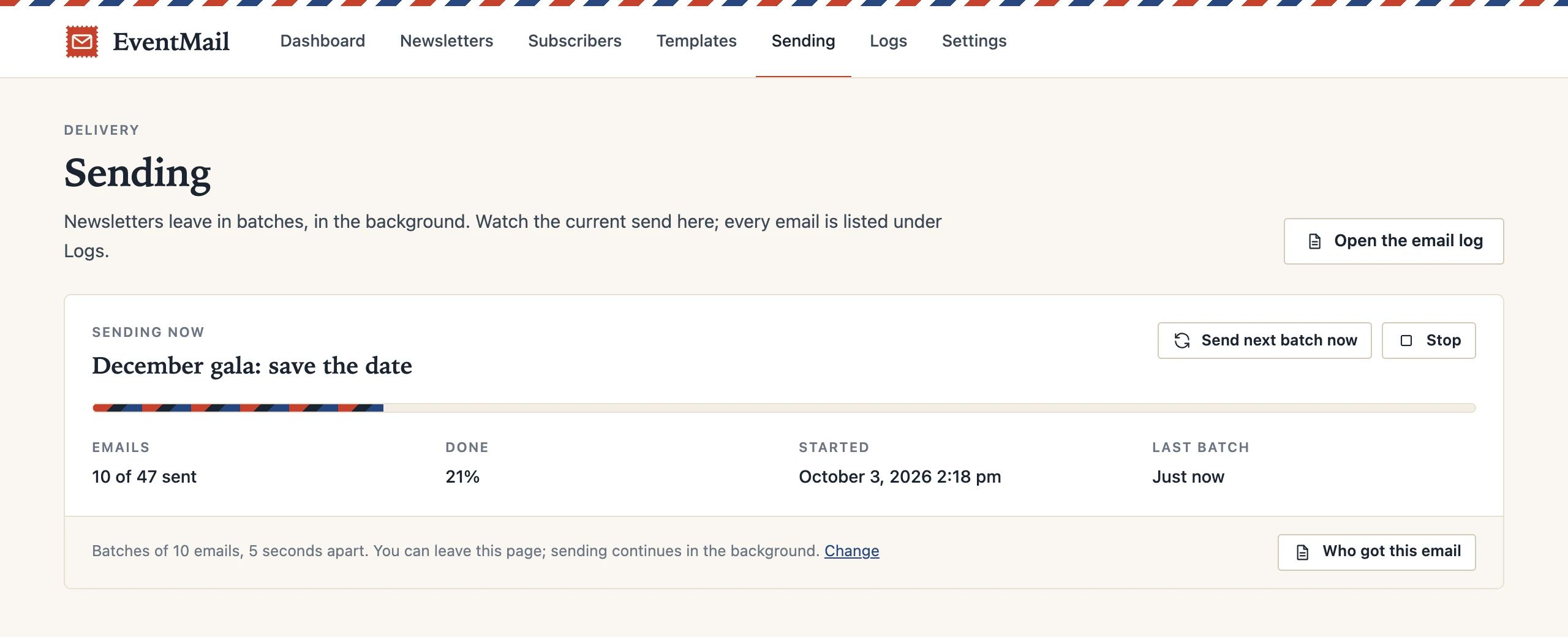
The Sending screen: a newsletter at 10 of 47 emails, 21 percent done, with buttons to send the next batch or stop.

A send in progress. You can leave the page.

No. 3  Grow

A list people chose to be on.

Put the sign-up form on any page with a shortcode. New subscribers confirm by email before they are added, so typos and fake addresses stay out. Bring the list you already have from a CSV file. The users of your site are included automatically.

  • Sign-up form with double opt-in
  • CSV import and export
  • Site users count as subscribers
  • Search, filter, edit, act on many at once
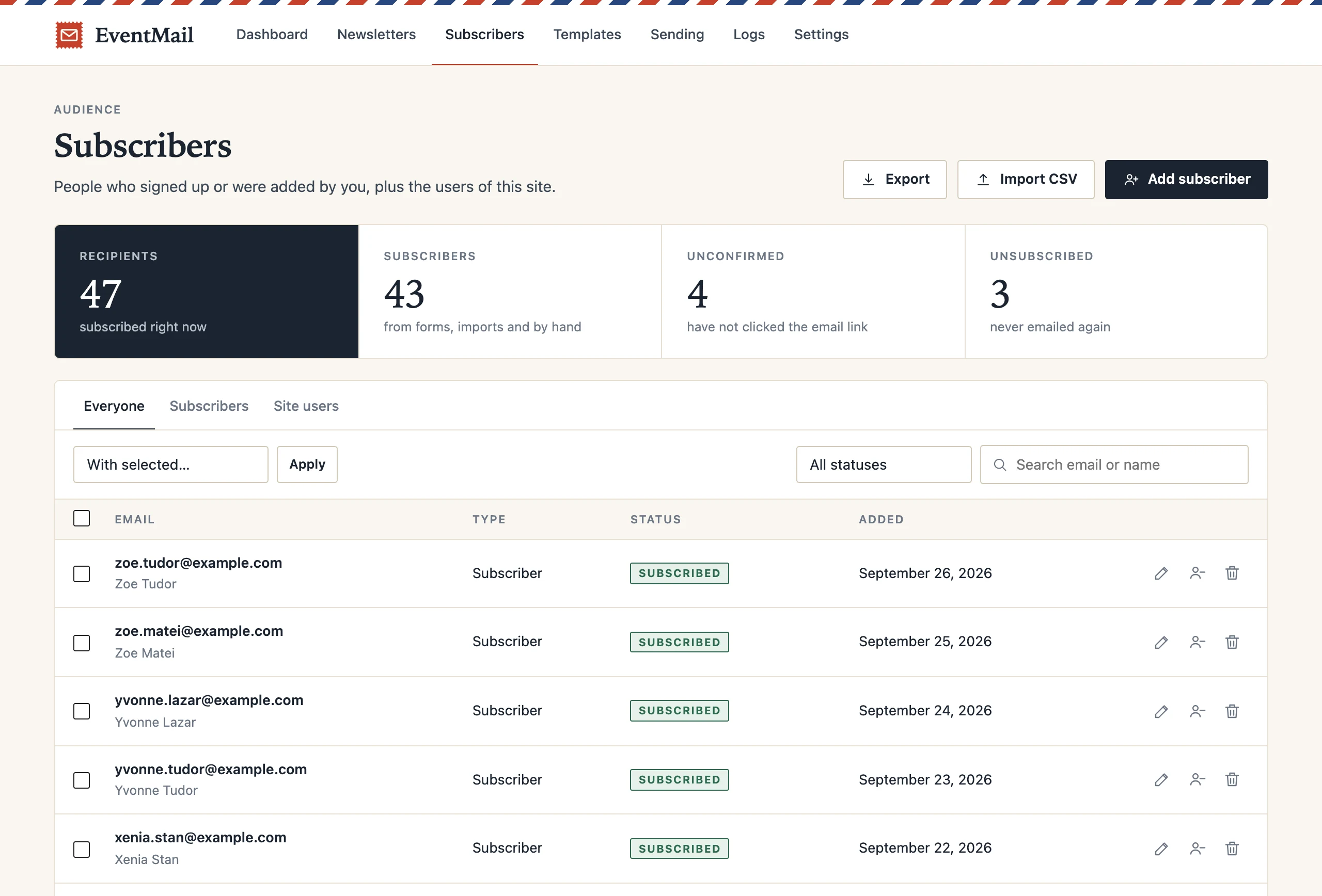
The Subscribers screen: 47 recipients, 43 subscribers, 4 unconfirmed, 3 unsubscribed, and the list with status stamps.

Everyone on the list, with their status.

No. 4  Keep track

A record of every email.

The log lists each email that left your site: who it went to, when, and whether your mail server took it. Open any entry to see the email exactly as that person received it. When someone says “I never got it”, you can check in seconds.

  • Sent and failed, with the reason
  • A preview of each email
  • Activity: sign-ups, unsubscribes, sends
  • Old entries removed after 90 days
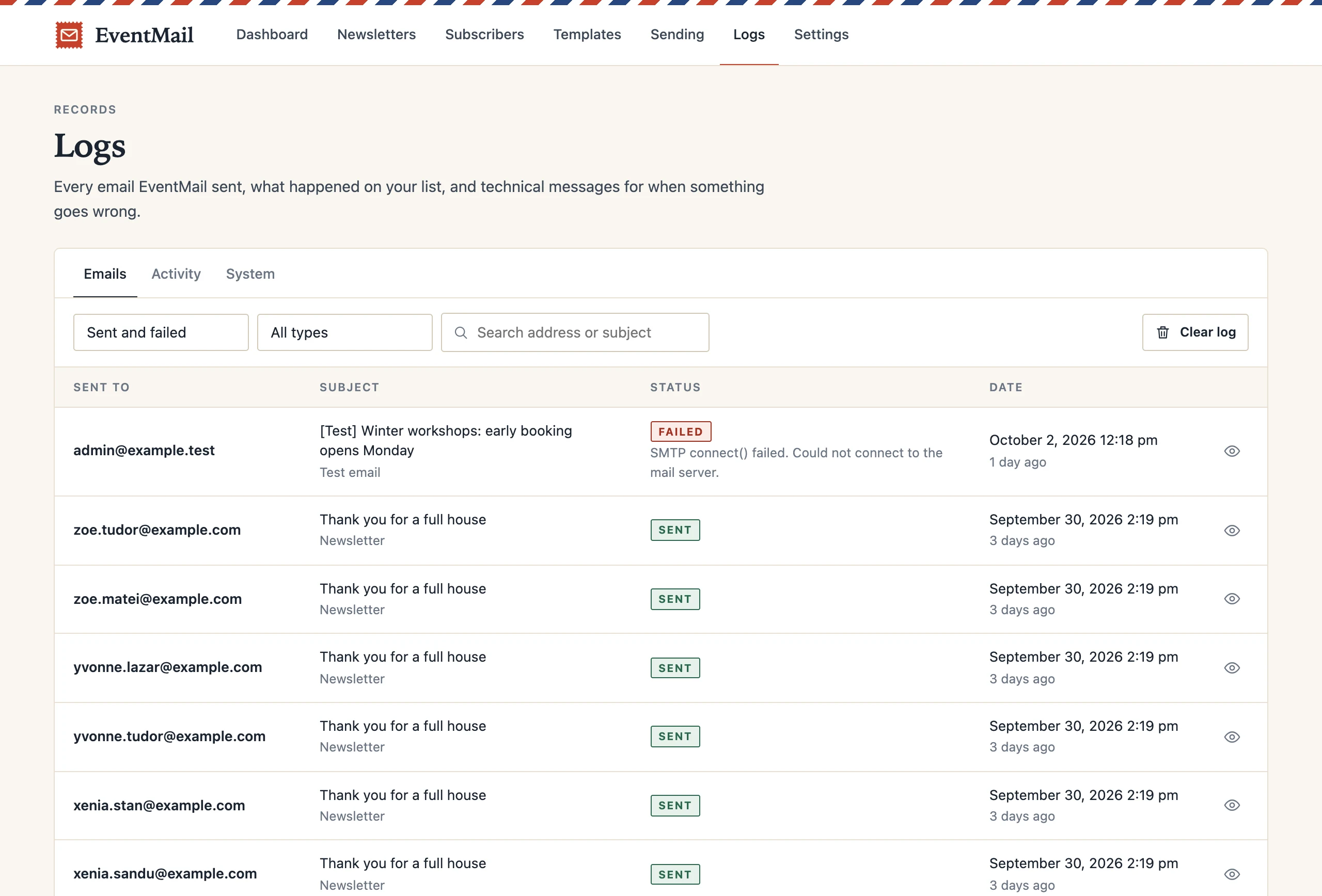
The Logs screen: a list of emails with recipient, subject, sent or failed status and date.

The email log. One failed test email shows its reason.

By design

What it leaves out, on purpose.

A newsletter is a conversation between you and the people who asked to hear from you. The plugin stays out of it.

No tracking

The free plugin puts no tracking pixels in your emails and does not rewrite your links. What your readers open is their business.

No phoning home

No telemetry, no account to create, no requests to outside servers. The plugin talks to your database and your mail service, nothing else.

No lock-in

Subscribers live in your own WordPress database. Export the whole list to a CSV file whenever you like.

No hard goodbyes

Every email carries a one-click unsubscribe link, and the plugin answers WordPress’s requests to export or erase a person’s data.

Templates

Five templates, ready on day one.

Each one is built with the plain tables email clients understand, and carries your site’s logo or name on top. More designs are on the way.

Classic template: site name on top, serif headline, two columns and a button.
Classic for almost anything
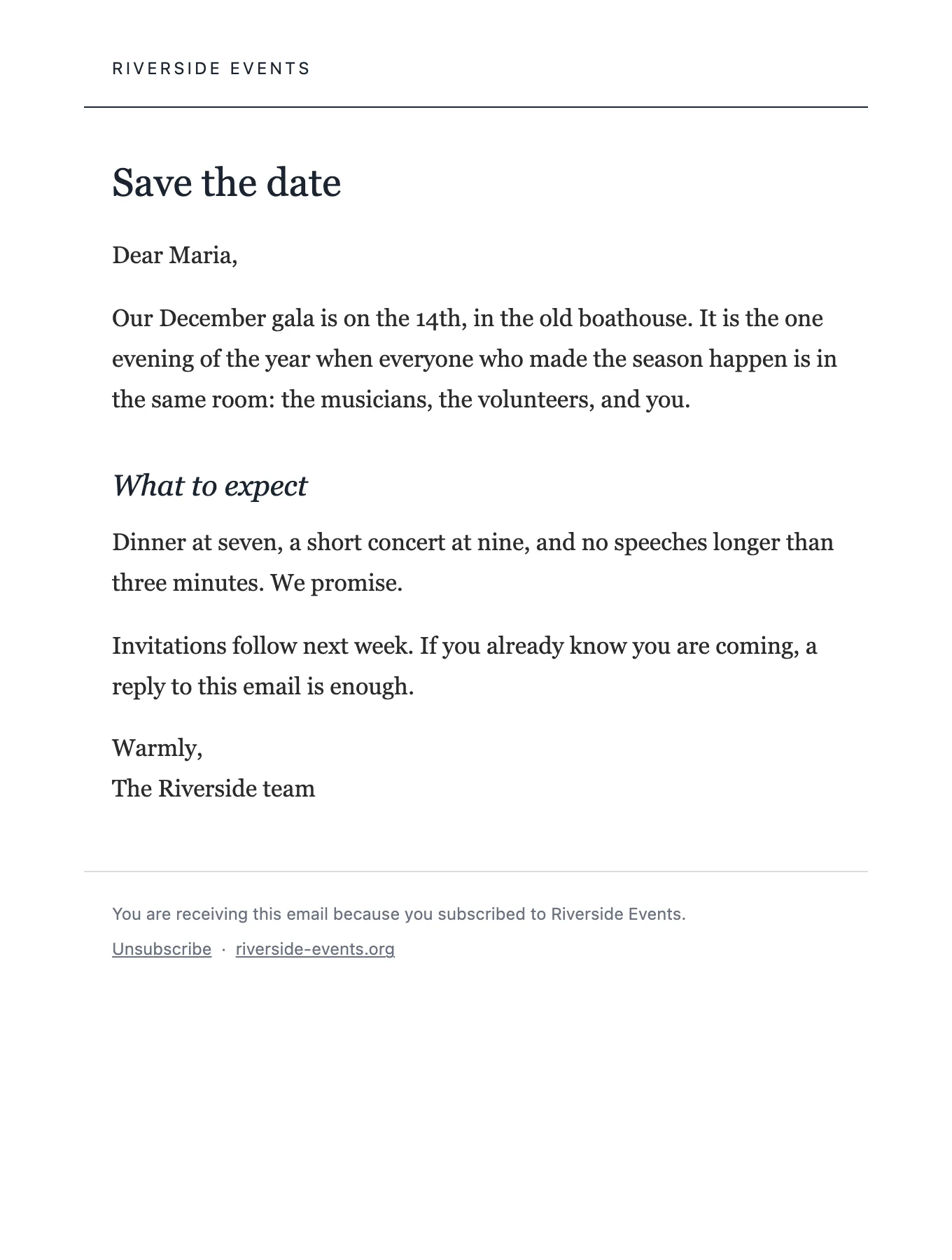
Letter template: plain white page with serif text, like a personal letter.
Letter a personal note
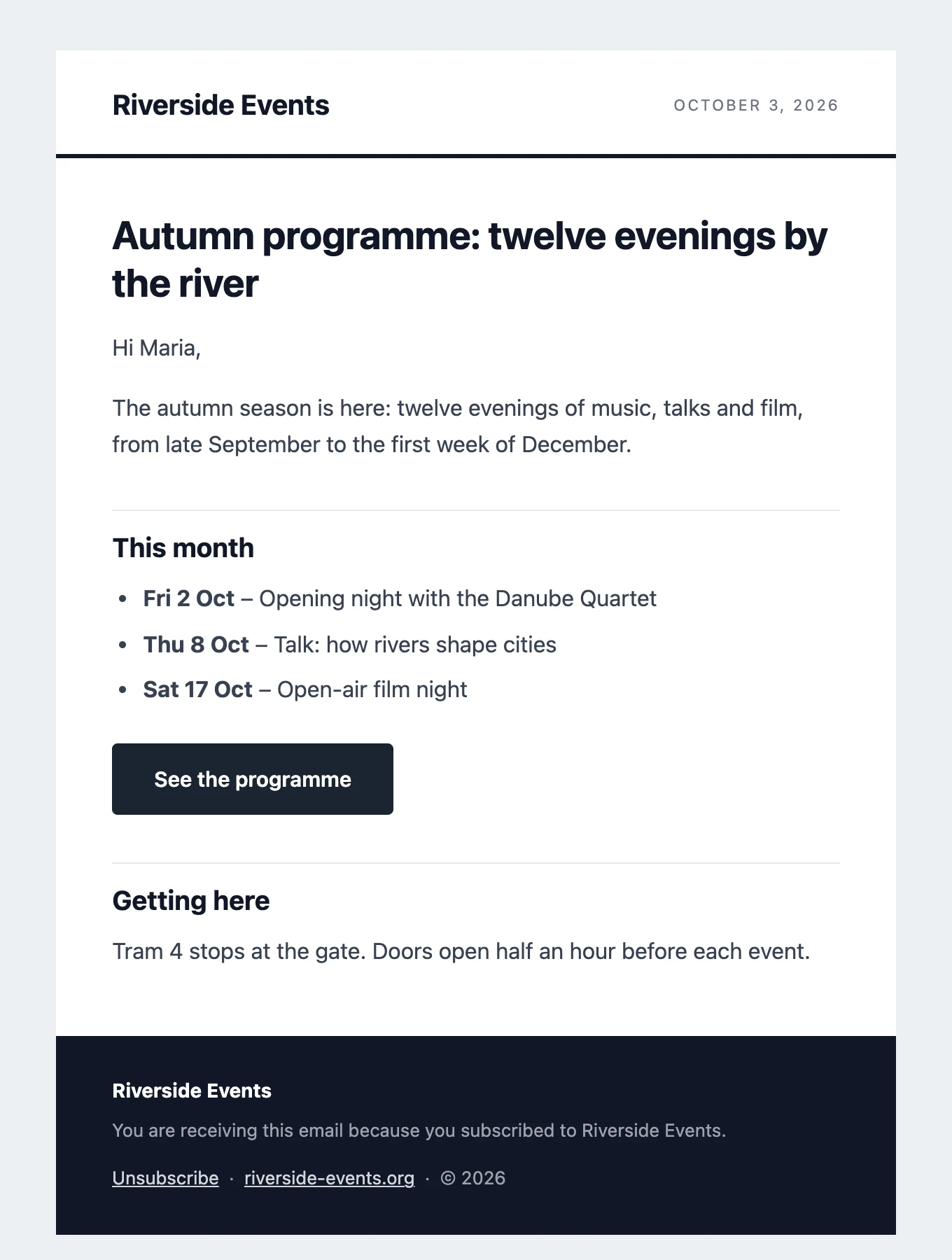
Bulletin template: name and date in the header, bold headings and a dark footer.
Bulletin regular updates
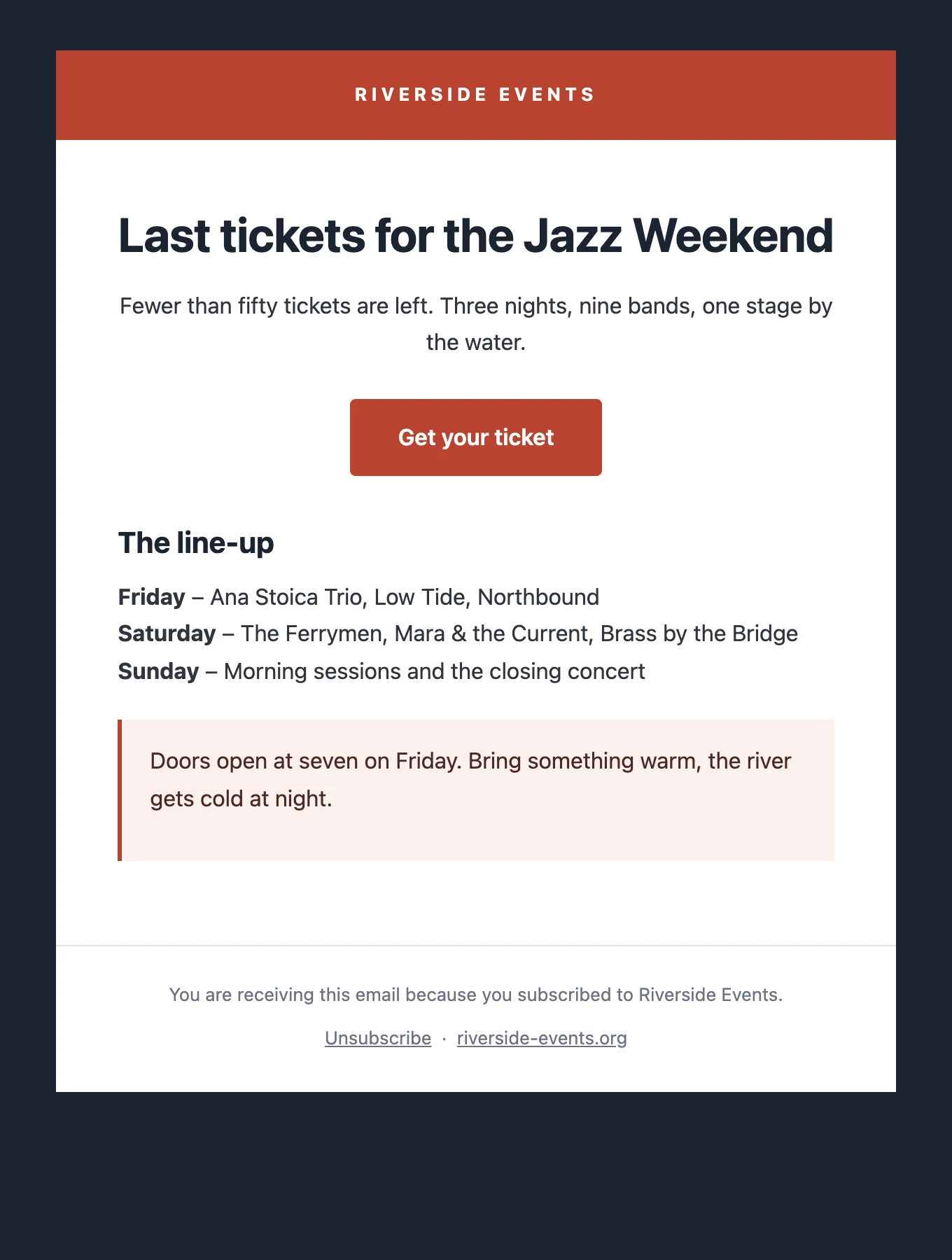
Announcement template: red band on top, large centred headline and a red button.
Announcement launches and tickets
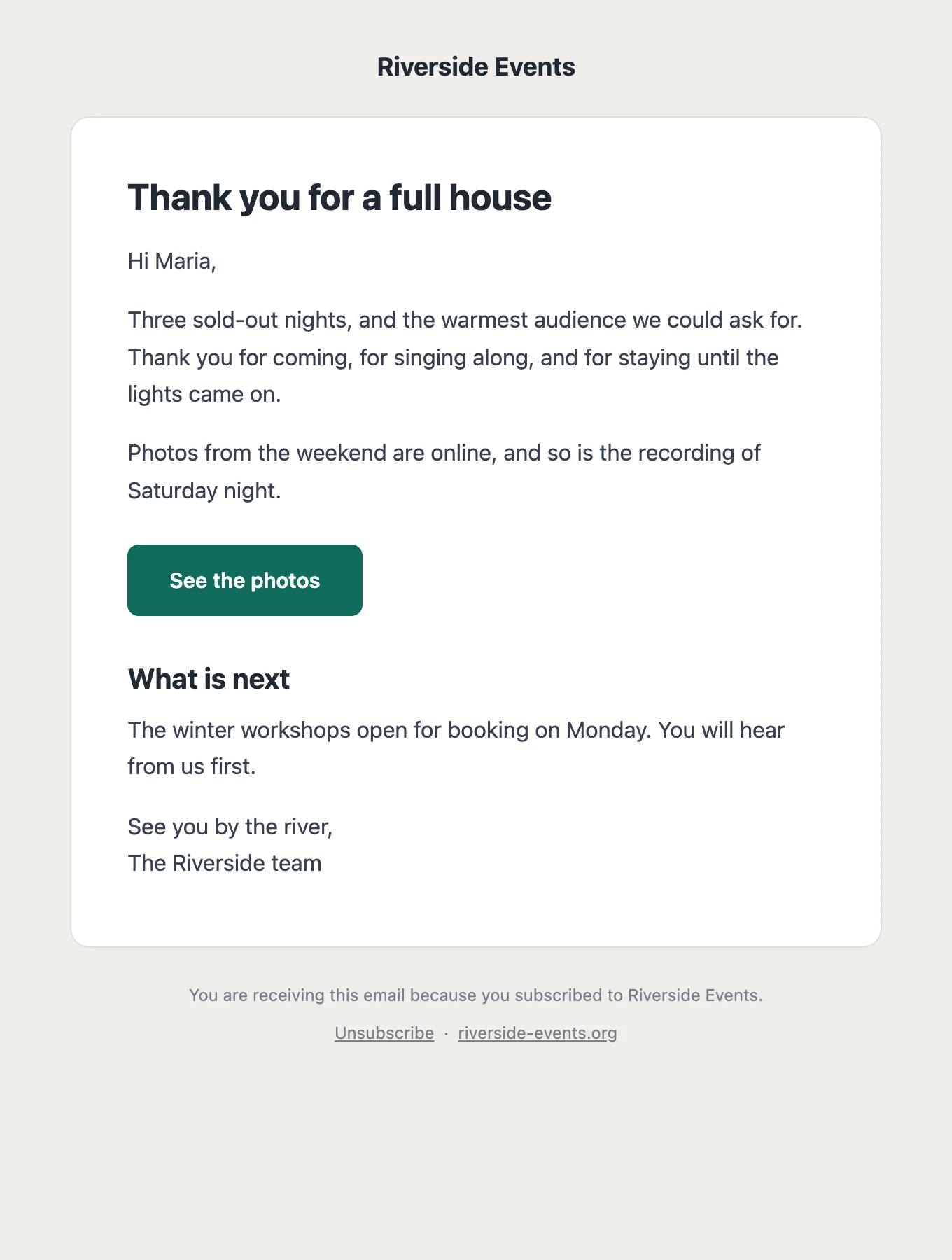
Card template: a rounded white card on a soft background.
Card short and friendly

Getting started

From install to first newsletter in an afternoon.

  1. Install and test

    Upload the plugin under Plugins → Add New and activate it. Send yourself a test email to check that mail from your site arrives.

  2. Add your people

    Put [eventmail_form] on a page so visitors can sign up, or import the list you already have from a CSV file.

  3. Write and send

    Choose a template, write, preview. Send now or schedule it, and watch it go out batch by batch.

Free & Pro

Free now. Pro later.

The free plugin is complete on its own. A Pro add-on for larger lists is being built; it will add features, not remove limits, because there are none.

EventMail

Everything you need to run a newsletter.

Free open source, GPL

  • Unlimited subscribers and sends
  • Composer with five templates and content blocks
  • Sign-up forms with double opt-in
  • CSV import and export
  • Background sending in batches, with scheduling
  • Log of every email, with previews
  • One-click unsubscribe and privacy tools
  • Works with any SMTP plugin or mail service
Download free

Version 1.0.0. Coming to the WordPress.org plugin directory.

Soon

EventMail Pro

An add-on for larger lists and more advanced work.

In the works no date or price yet

Planned. Tick what you would pay for:

One email when Pro is out, perhaps a question before that. You confirm your address first and can unsubscribe with one click. Nothing in the free plugin will move behind a price.

Questions

Before you install.

Is it really free? What is the catch?

Yes. The plugin is open source under the GPL and has no limits on subscribers or on sending. A paid Pro add-on with extra features is planned, and the free plugin does not depend on it.

How are the emails actually sent?

Through WordPress’s own mail function. On most hosts that is fine for a small list. For reliable delivery, connect an SMTP plugin such as WP Mail SMTP, FluentSMTP or Post SMTP to a mail service (Amazon SES, Mailgun, Brevo and the like). EventMail uses it automatically.

How many emails can I send?

As many as your host or mail service allows. EventMail does not count. You set the batch size and the pause between batches so the send stays inside their limits.

Does it help with GDPR?

It gives you the tools: double opt-in, an unsubscribe link in every email, and support for WordPress’s requests to export or erase a person’s data. It does not track opens or clicks. What you send, and to whom, remains your responsibility.

Do I have to set up a cron job?

No. Sending runs on WP-Cron, which WordPress triggers whenever someone visits the site. On a very quiet site a real cron job makes scheduled sends more punctual, but it is optional.

What does it need?

WordPress 5.8 or newer and PHP 7.4 or newer. Every text in the plugin can be translated.

Your list. Your server. Your letters.

Install it, send yourself a test, and see whether it suits you.

Download EventMail